
How to Upload GPX Files
Legal Disclaimer
Fake Runners is provided 'as is' without warranty of any kind. By using this service, you acknowledge and agree that you are solely responsible for your compliance with any third-party terms of service. Fake Runners does not guarantee that the generated routes will be accepted by any service or application, and we are not responsible for any consequences resulting from the use of our service. The information provided on this page is for educational purposes only. Users should exercise their own judgment when uploading synthetic route data and understand the potential risks involved.
Step 1: Access the Upload Feature
Log in to your account on the service you're using. Look for an "Upload," "Import," or "Add" button, typically located in the main navigation menu, dashboard, or activity section.
Step 2: Select Your GPX File
Click "Choose files", "Browse", or a similar button to open your file explorer. Navigate to and select your downloaded .GPX file.
Note: Most services support .gpx, .tcx, and .fit files. File size limits may vary.
Step 3: Add Activity Details
- Activity name (e.g., "Morning Run," "Weekend Trail Run")
- Activity type (Running, Walking, Cycling, etc.)
- Description (optional)
- Date and time (usually auto-detected from the GPX file)
- Privacy settings (who can see your activity)
- Tags or additional metadata
Step 4: Save Your Activity
Review your activity details and click "Save," "Upload," or "Finish" to complete the process. Your activity will now appear in your history or feed!
Step 5: Verify Your Activity
- The route should match what you expected
- Distance, elevation, and other metrics should be reasonable
- Activity type should be correctly categorized
If anything looks incorrect, you may be able to edit the activity after uploading.
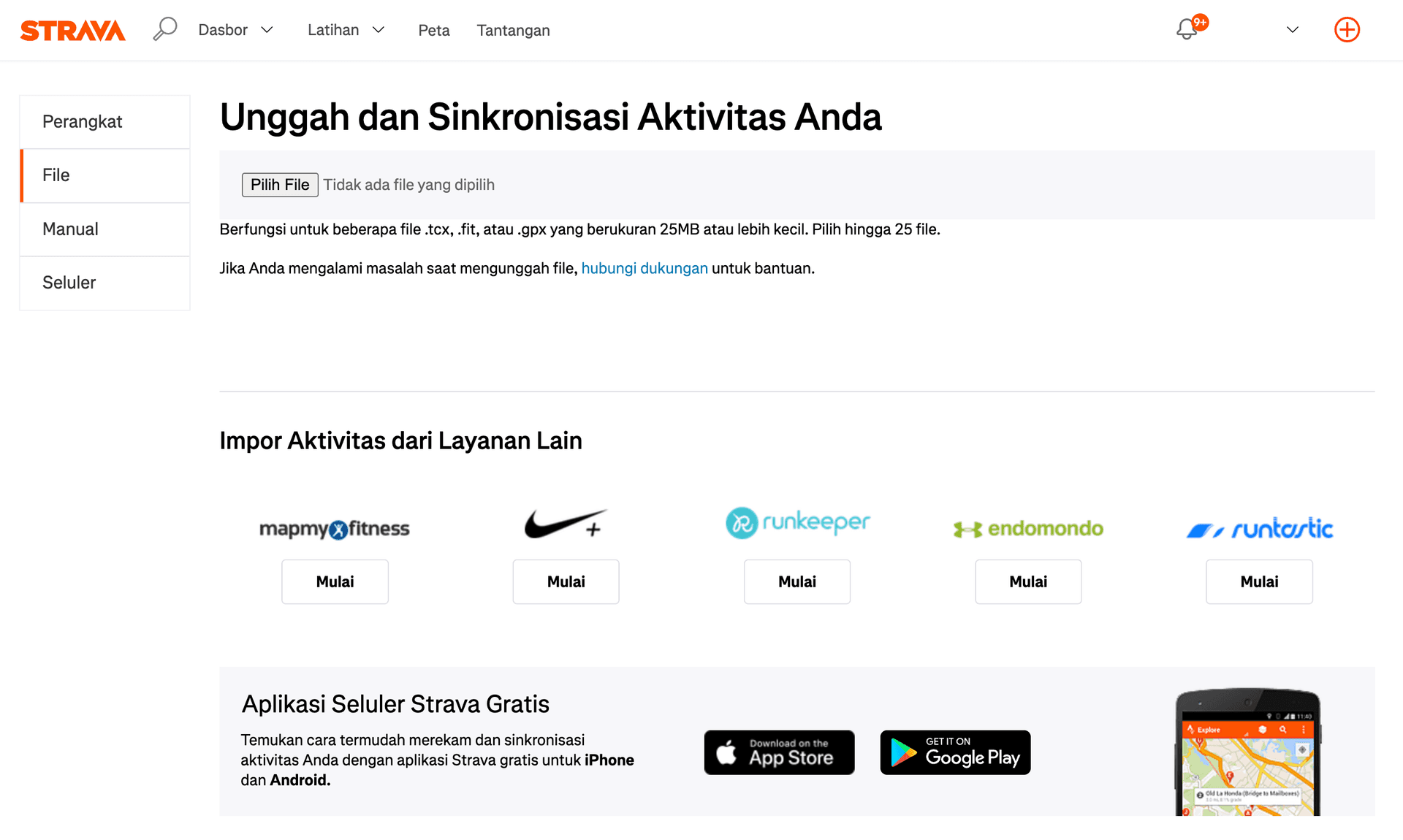
Upload your activity to Strava
After completing your GPS activity session, the next step is to transfer the data to a platform where it can be analyzed and shared. Strava provides a manual upload feature that allows users to easily import .gpx, .tcx, or .fit files directly from their device. To start uploading, open the Strava app and select the “Upload Activity” option from the main menu.
Contact Us
Questions, suggestions, or just want to say hi? Reach out to us below.
📍 Serving runners & cyclists across Indonesia.
🕒 Operational Hours: Mon–Fri, 9 AM – 5 PM (GMT+7)
📩 Email us: support@fakerunners.id